
Codeanywhere – Online Code Editor
Overview
I took on the challenge of designing a cloud-based IDE for a startup, aiming to create a seamless development experience across desktop and mobile. My goal was to deliver a robust, feature-rich environment that empowered developers to code and collaborate in real-time from any device. The primary challenge lay in creating a unified experience that was comprehensive yet lightweight, especially for mobile, where user needs differ significantly from desktop.
Problem Statement
My goal was to design an intuitive Cloud IDE that provided developers with a powerful, adaptable environment across devices. While the desktop version was already live as an MVP, the product needed additional enhancements for complex, real-world use cases. For mobile, I was tasked with creating a streamlined yet powerful experience from the ground up, prioritising features that allowed users to code, debug, and collaborate effectively on smaller screens.
Understanding the Users
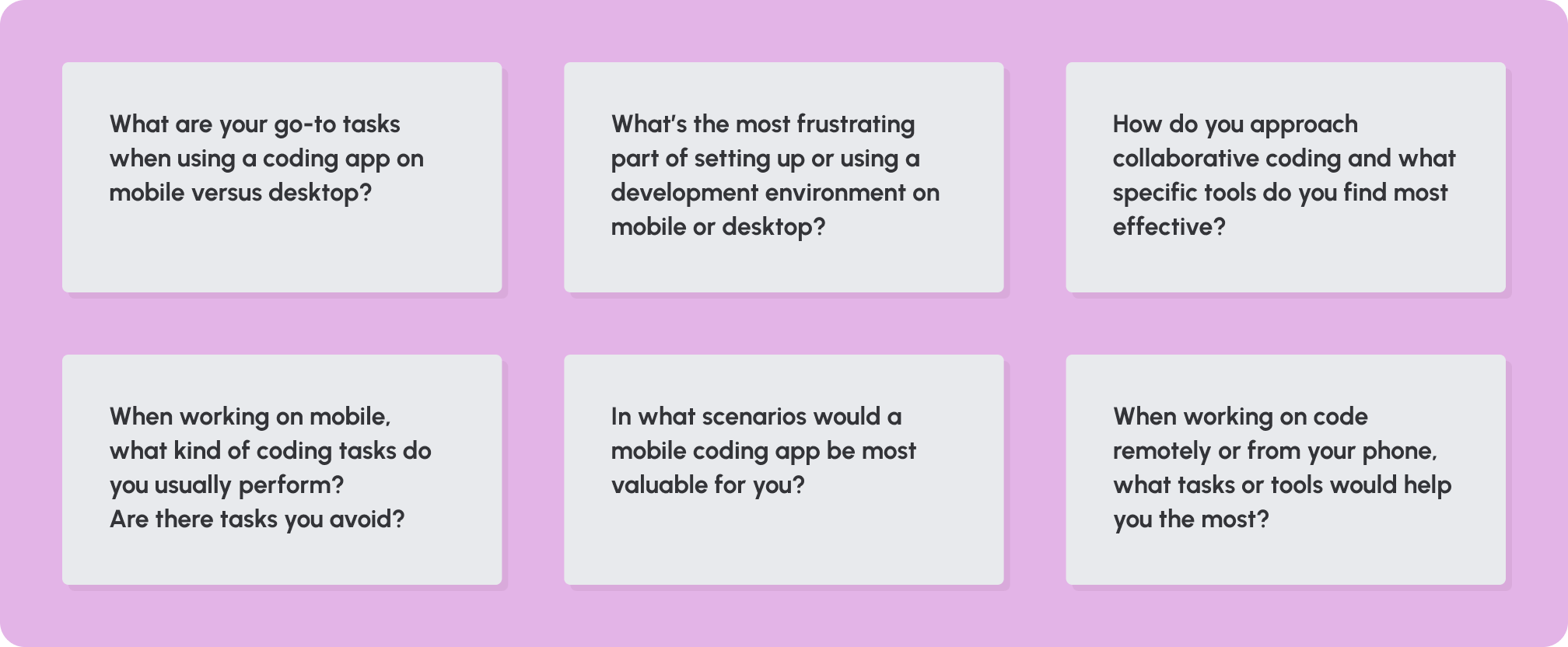
To understand my target audience’s needs and behaviours across platforms, I conducted a series of user interviews. My main objective was to identify distinct use cases for desktop and mobile. These insights helped me determine which features to prioritise in the desktop Phase 2 build and what to emphasise in the mobile app.
Persona
Alex, the Remote Developer – Full-stack developer at a remote-first startup

Frustrations: Limited server integration on mobile, sluggish loading times, complex navigation on smaller screens
Primary Goals: Efficient cross-device coding, real-time collaboration, minimal setup
Research & Competitive Landscape
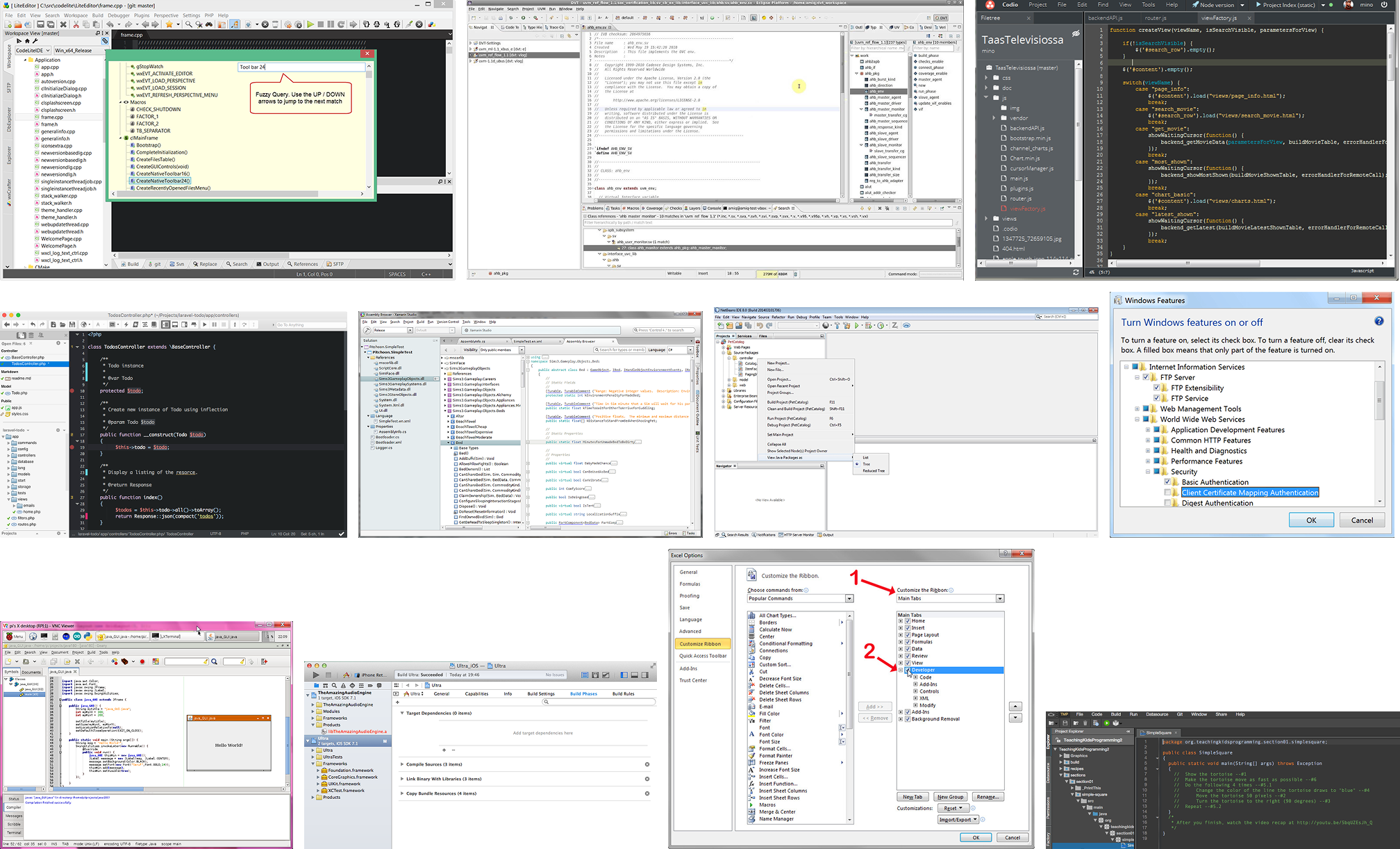
In researching the competitive landscape, I evaluated platforms like Codio, NetBeans, Eclipse and Android Studio. Most competitors offered decent functionality but often lacked a modern look and effective cross-device usability, especially on mobile. By focusing on a unified and accessible experience across devices, Codeanywhere could stand out by providing a seamless transition and adaptable toolset.
Challenge
The design challenge was split into two main areas:
Desktop Version (Phase 2):
Building on the MVP, I focused on expanding the IDE’s features to serve real-world workflows and more complex development tasks. My challenge was to support multi-project management and in-depth debugging without cluttering the workspace.
Mobile version
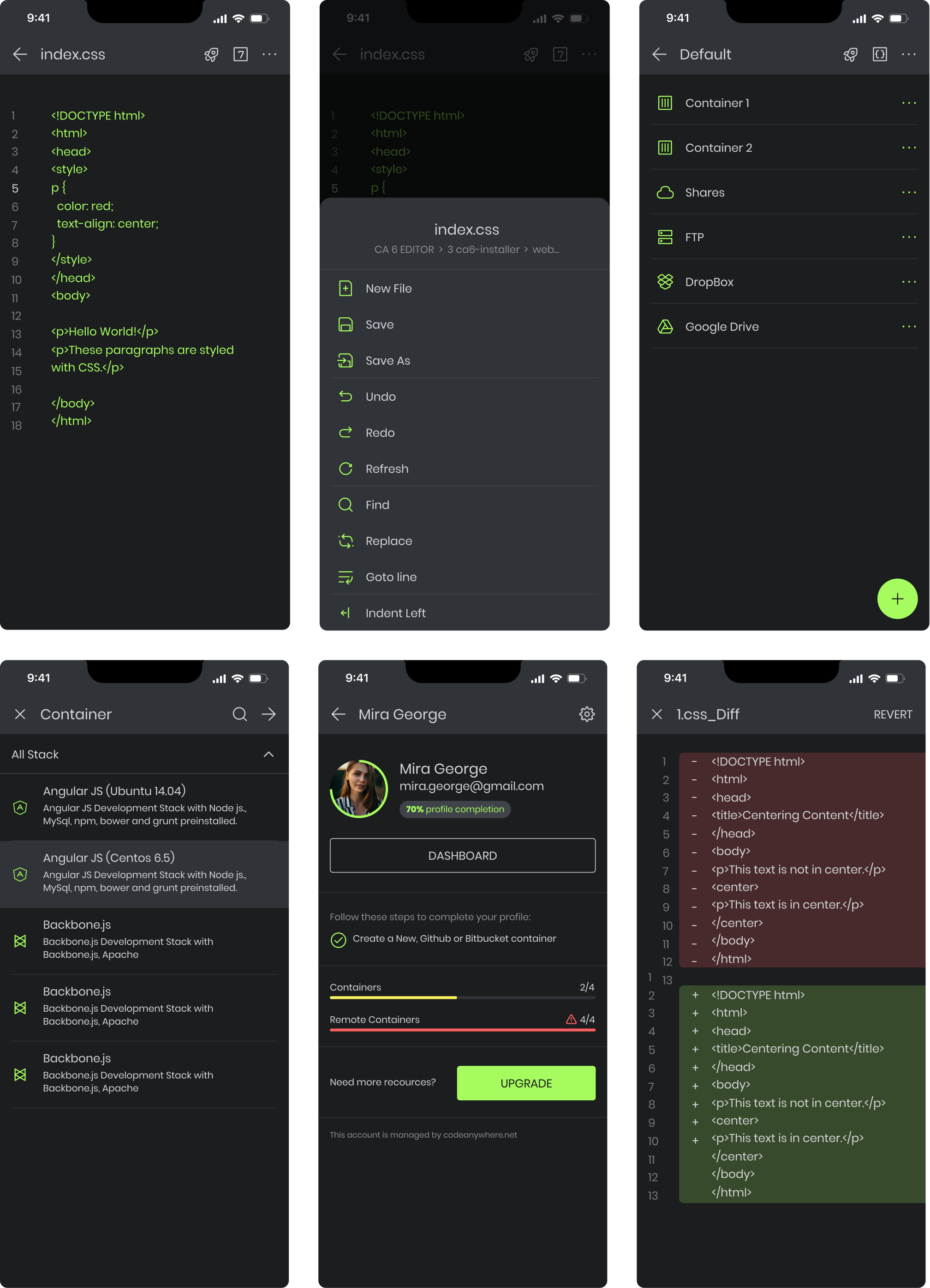
The mobile app was created from scratch, emphasising lightweight usability. Given the unique use cases, I prioritised fast access to core features like code editing and server commands, delivering essential functionality without overloading the interface.
Solution
Desktop Design (Phase 2 Enhancements)
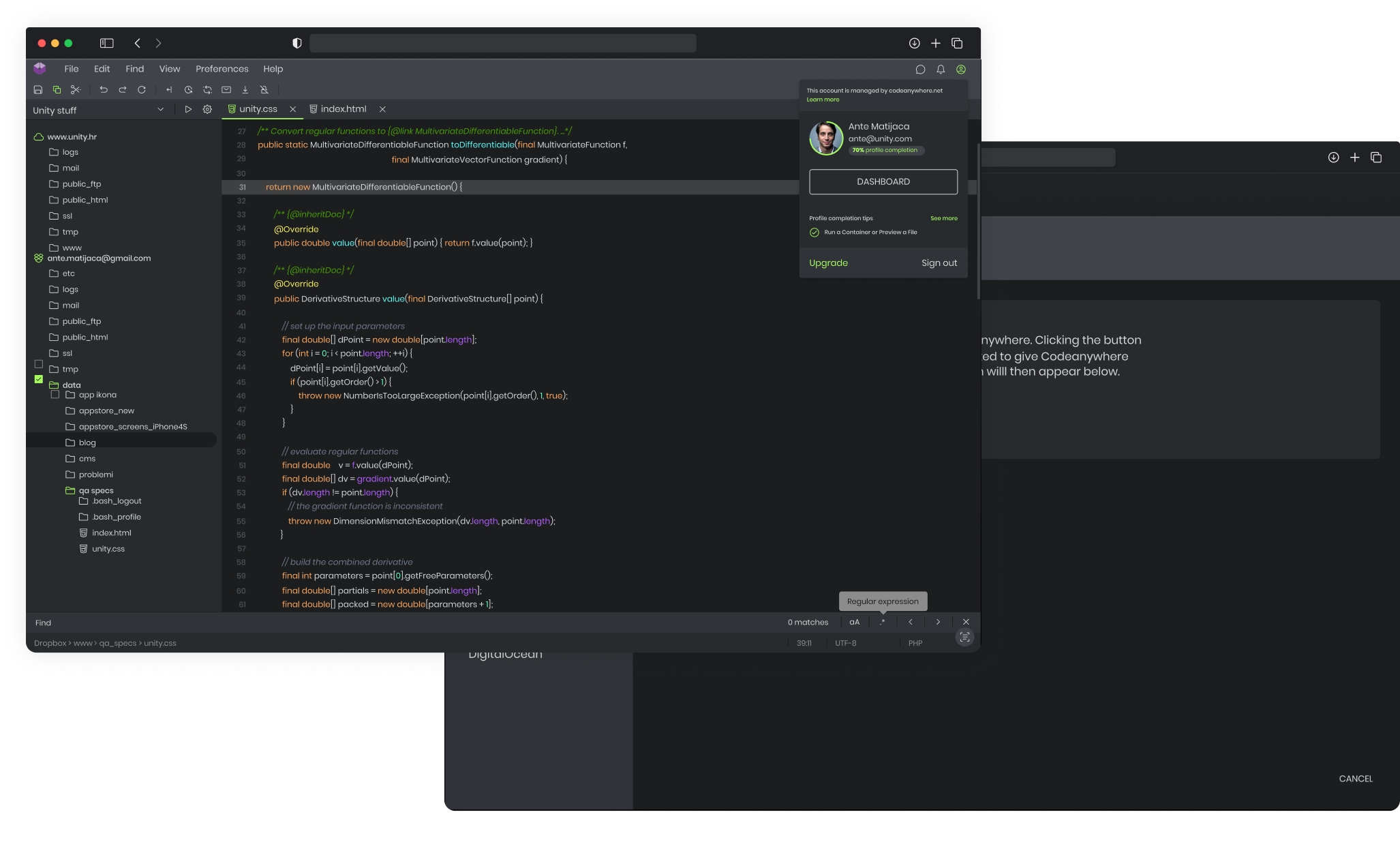
Informed by user feedback from the MVP, I enhanced the desktop version to support complex workflows. Key improvements included multi-file project support, version control (Git) integration, modular workspace, and real-time collaboration tools. By building an adaptable workspace, the IDE could now serve both simple edits and large-scale projects, making it a primary development environment for users.
Mobile Design (Ground-Up)
For mobile, I concentrated on common mobile use cases, such as quick edits, debugging, and script execution. I designed a content-first interface that emphasised the code editor and terminal while making navigation intuitive. With features like syntax highlighting, touch-friendly elements, and real-time collaboration, the mobile app became a practical tool for developers on the go.
Key Features
Advanced Code Editor: Supports all major programming languages with smart features like auto-complete, refactoring, debugging with breakpoints, and a fully integrated Git client, making cloud-based coding as powerful as desktop.
Server Integration: Connect directly to personal servers via SSH/SFTP, FTP, or FTPS to edit files or open a terminal in-browser, enabling seamless remote access and real-time updates.
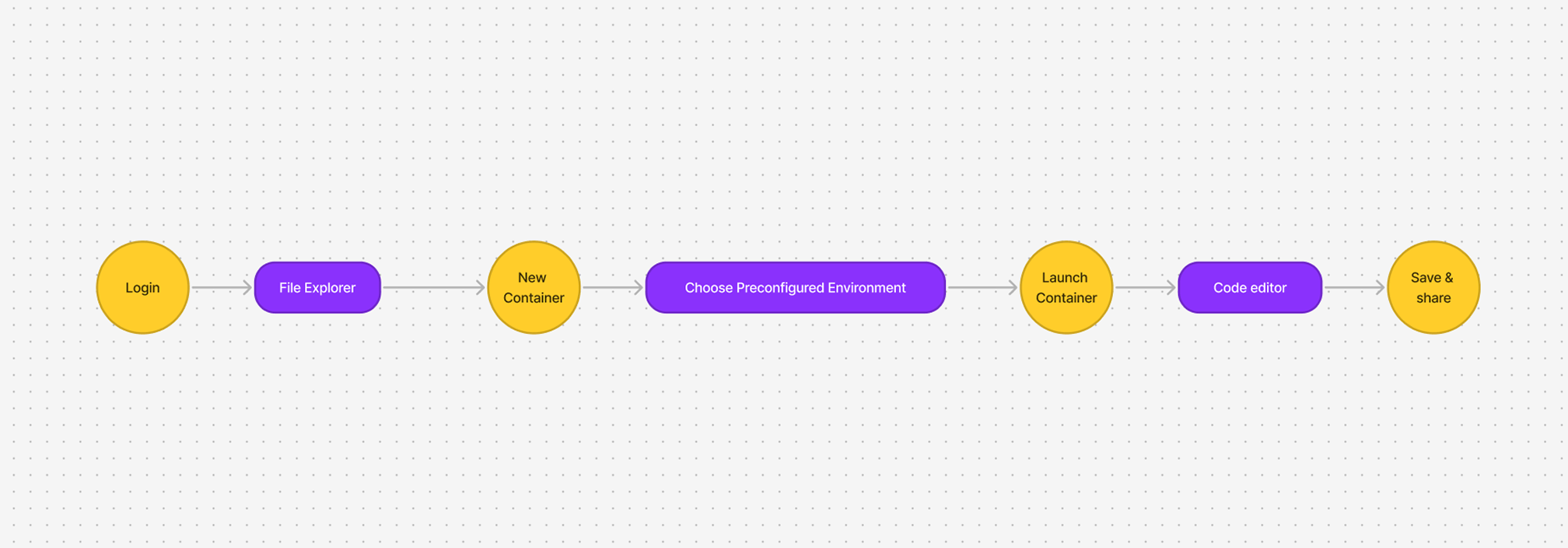
Preconfigured Containers: Spin up development containers in seconds, preloaded with necessary tools and databases, providing a standardised environment for team collaboration and rapid setup.
Web-Based Terminal: Run commands, debug, and manage remote servers directly from the browser with full SSH access, ensuring a complete development experience anytime, anywhere.
Learning from Support Feedback
Beyond interviews, our support team was a valuable resource for understanding user pain points. Through support interactions, I gathered insight into frequent issues and areas where users faced frustration. We prioritised fixing these issues as soon as possible, which not only improved user experience but also informed ongoing design improvements. This iterative process helped refine both the desktop and mobile experiences, particularly in areas like load times, debugging tools, and server integration.
Design Iterations
Through ongoing feedback and usability tests, I iterated on both platforms. For mobile, I refined navigation and quick-access tools, improving code review and terminal commands for smaller screens. On desktop, feedback helped me balance functionality with a clutter-free design, refining modularity and debugging tools.
Outcome
The result was a powerful Cloud IDE that enabled efficient coding across devices. Desktop users gained a versatile environment for complex tasks, while the mobile app became a practical tool for quick edits and collaboration. Feedback highlighted the speed, real-time collaboration, and convenience, especially on mobile.
Lessons Learned
A key takeaway was focusing on core tasks for mobile instead of attempting to replicate every desktop feature. By prioritizing common use cases like code review and debugging, the mobile app became more efficient and user-friendly. Additionally, learning from support feedback was invaluable, as it allowed us to address pain points proactively, enhancing user satisfaction and shaping ongoing improvements.
.svg)
.avif)
.avif)