
Codeanywhere — A Cloud IDE for Every Screen
Codeanywhere — A Cloud IDE for Every Screen
Client
Codeanywhere
Year
2016–2017
Role
Lead Product Designer
Key Contributions
Research, UX/UI, Information Architecture, Design System
3,000+
User ratings on SaaSworthy
4.7★
Average rating across review platforms
10+ years
In active development
Challenge
A cloud IDE on mobile is not a smaller cloud IDE on desktop.
Codeanywhere was already live when I joined, a cloud IDE developers used to write, edit, and run code from any browser with no local setup. The desktop version was an MVP that needed to grow into a serious environment for professional work. The mobile version did not exist at all.
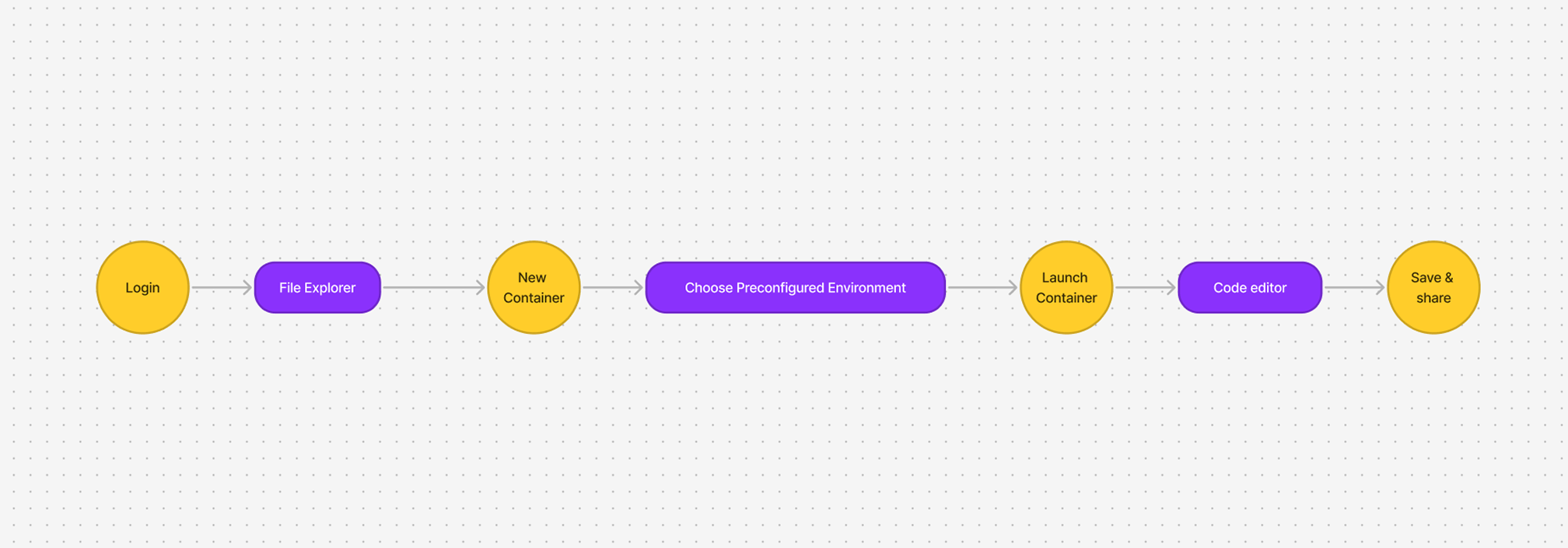
The job was not to build two versions of one product. It was to see that desktop and mobile are two different jobs. Desktop is where developers live, long sessions, complex file trees, multi-language projects, Git. Mobile is the second screen, a quick edit between meetings, a review on the move, a production issue debugged from a phone.
The Decision
I designed two interfaces, each sized to the work it actually supports, inside one product.
Building mobile as a responsive version of desktop would have produced something that served neither well. Grounded in research into how developers actually used IDEs away from their desks, the call was two distinct surfaces over one product.
Competitive Landscape
Nobody offered a credible mobile companion next to a full-depth desktop environment.
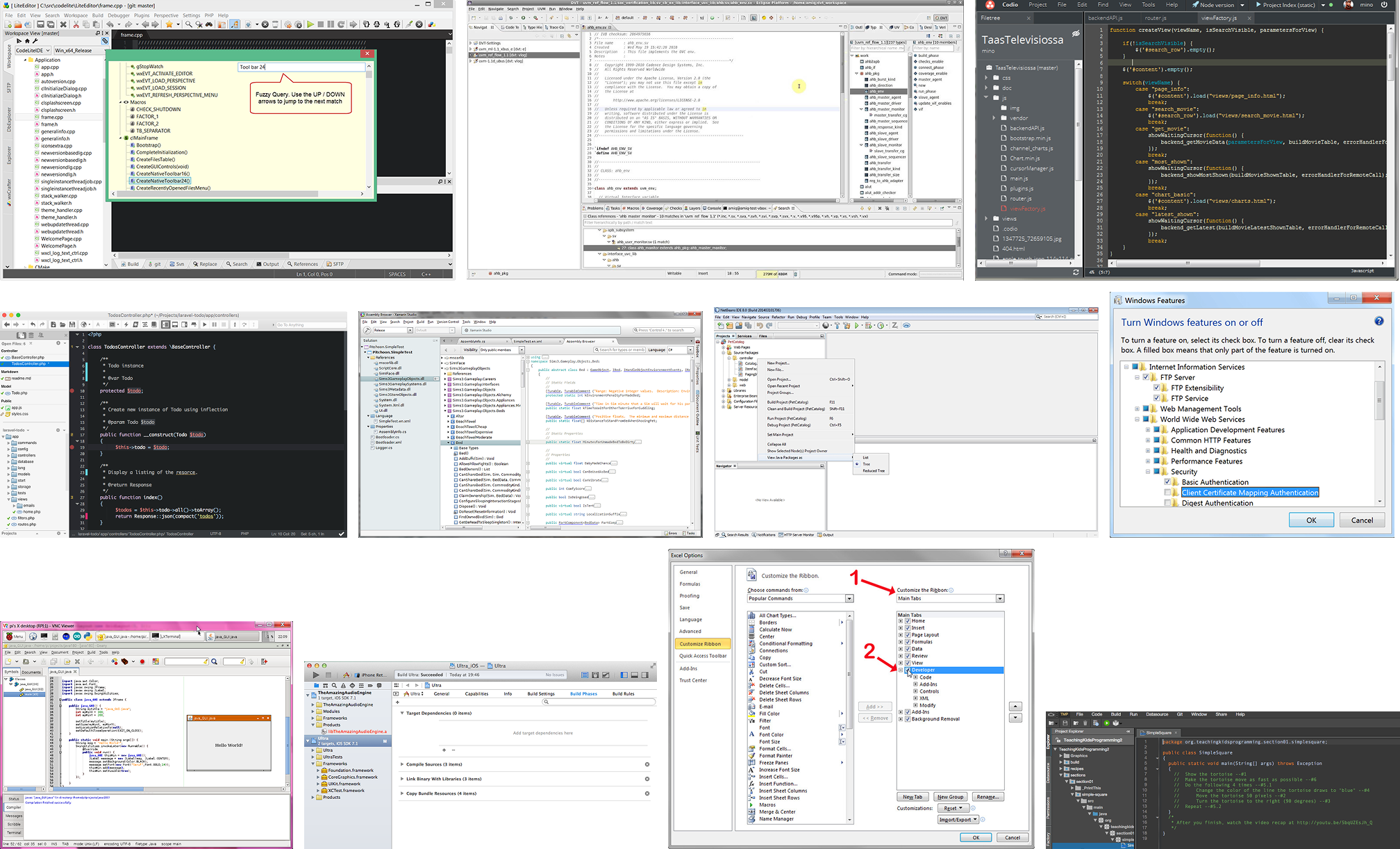
I evaluated a range of cloud and desktop IDEs, Codio, NetBeans, Eclipse, Android Studio. The gaps were consistent: desktop-first with no cross-device story, cloud-native but built for education rather than professional work, or mobile tools with no general-purpose IDE behind them. That gap was the opening Codeanywhere could take.
Desktop, Phase 2
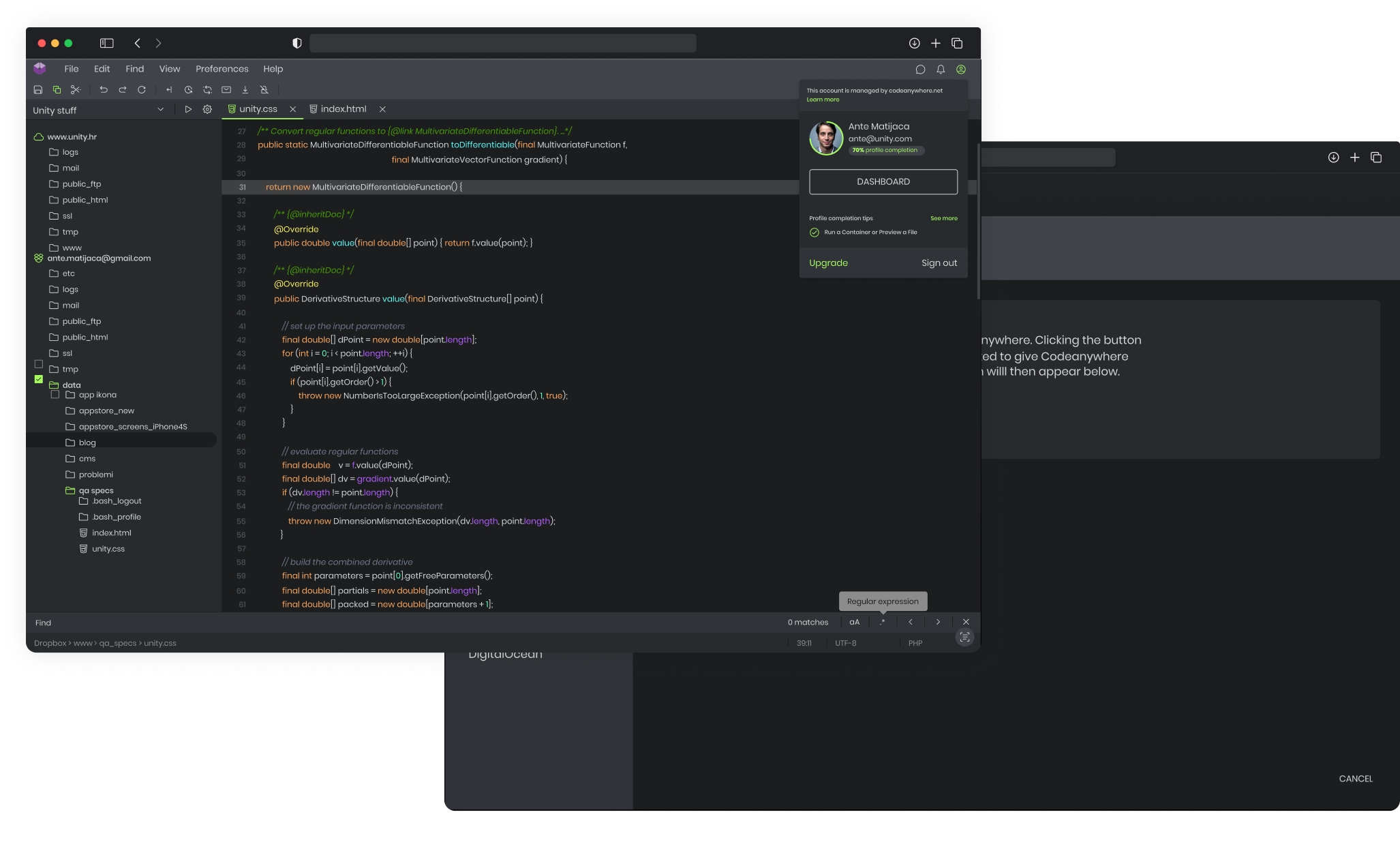
I built the MVP up into an environment that could hold complex professional work.
The key additions: multi-file project support, version control with a fully integrated Git client, a modular workspace, and real-time collaboration. Server integration covers SSH/SFTP, FTP, and FTPS, so developers connect straight to remote servers and edit files or open a terminal in-browser without switching tools. Preconfigured containers, Angular, Backbone, PHP, WordPress and more, spin up in seconds with the right stack loaded, and the web terminal gives full SSH access without leaving the browser.
Mobile, Ground Up
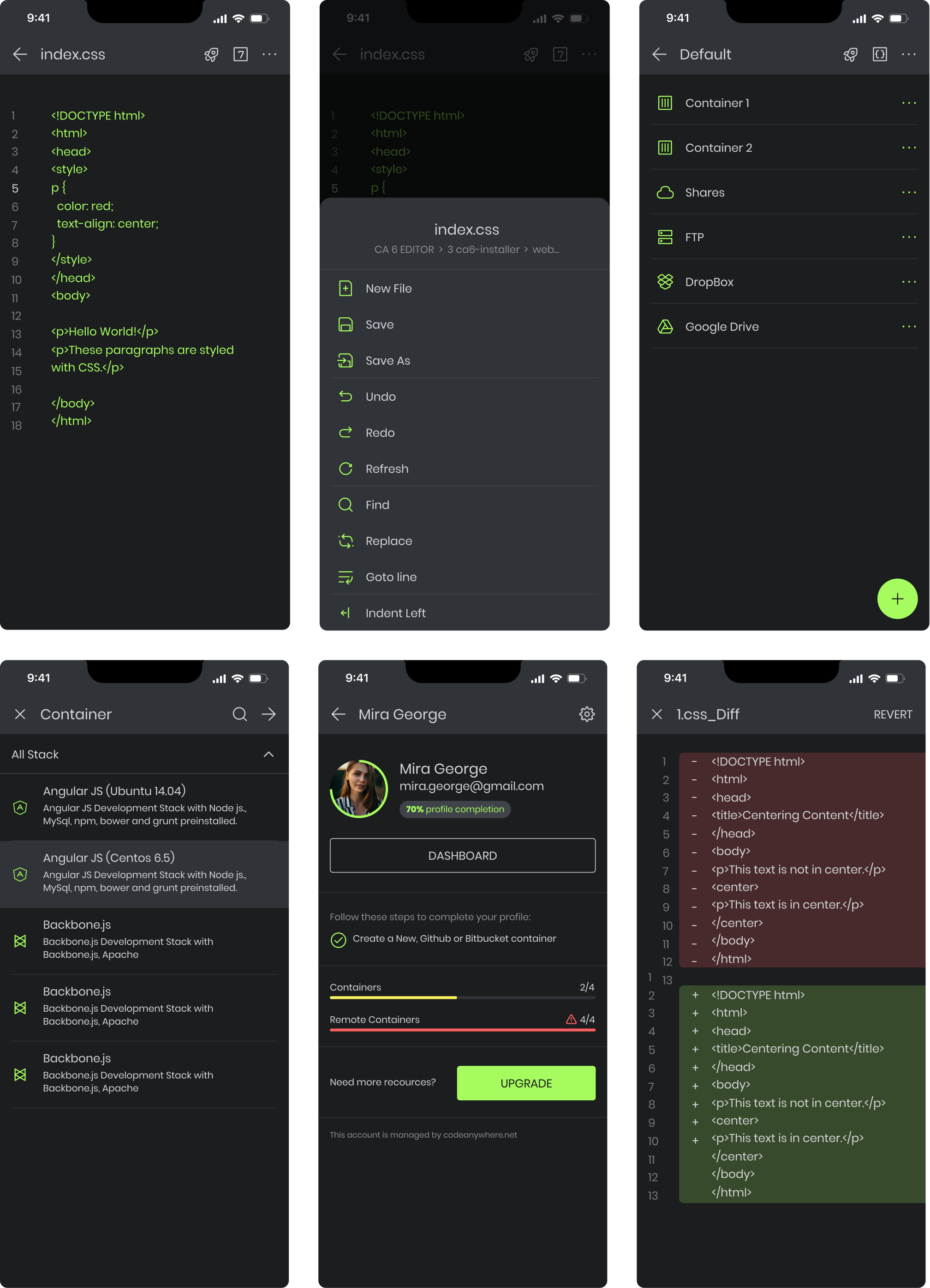
Six screens, each sized to a real mobile job, none of them a shrunk desktop view.
I designed the mobile app from scratch around the three things developers actually do away from their desk: quick edits, debugging, and running scripts. The interface is content-first, the editor and terminal take priority and navigation stays out of their way. Syntax highlighting, touch-friendly controls, a red/green code diff view, and real-time collaboration keep it connected to the desktop workflow without trying to replicate it.
Testing
Feedback pulled the two platforms in the directions their users needed.
I ran usability sessions with developers across both. Touch targets and navigation were adjusted for single-hand mobile use, container management got simpler on small screens, and keyboard shortcuts and terminal behaviour were refined for desktop power users expecting parity with native IDEs.
Result
Codeanywhere shipped both products, and both are still live.
Desktop became the primary cloud IDE for developers who wanted a full environment with no local setup, used by teams worldwide across languages, frameworks, and server stacks. Mobile became the second screen, review, quick fixes, emergency debugging away from the desk. The product is still actively developed, most recently moving into AI-assisted coding with a Continue.dev integration.
.svg)
.avif)
.avif)